Make AI Sound Like You: 5 Quick Calibration Drills for Dating Messages
Jan 10, 2026 • 9 min
If you’ve ever tried to draft a dating message with AI, you’ve probably run into one stubborn truth: it can sound clever, but it also sounds like a robot who studied human behavior for two weeks. I’ve been there. I’ve watched the cursor blink as a perfect sentence spills out—and then I read it aloud and cringe. It wasn’t me. It was “AI me,” and that version of me didn’t get the reaction I wanted.
So I did what any frustrated writer would do: I built five quick drills to calibrate AI output to my voice. Not a full rebrand, not a reset, just little nudges that kept the tool useful without burying my personality under hybrid-robot vibes. Five drills. That’s all it took to get messages that felt like they could have come from me—maybe with a bit more punctuation discipline and a faster typing speed.
And yes, I learned this the hard way. I spent a week drafting, tweaking, and testing with real conversations. The payoff wasn’t in some magic line that unlocked a secret dating kingdom. It was in the quiet confidence that came from sending something that felt true to who I am—and getting a real response back. That’s what this guide is about: keeping your voice intact while riding the time-saver wave of AI.
Now, I’ll walk you through the five drills, with concrete how-tos, before/after examples, and the mindset shift you need to make this work in real life. For each drill, I’ll share a quick anecdote from my own experiments, plus a micro-moment that stuck with me—the little detail you’ll want to carry into your own prompts.
Before we start, a quick note on the goal. You’re not aiming for perfect grammar or flawless wit. You’re aiming for voice that feels human, a cadence that matches your rhythm, and a warmth that signals you’re genuinely engaged. The right calibration makes AI amplifi ance, not replacement.
1) Favorite-Phrase Capture: Your Signature Vocabulary
Here's what I learned fast: AI can reproduce your tone if you feed it your own words. The trick isn’t chasing fancy synonyms; it’s locking in phrases you actually use in daily life and weaving them into the AI’s prompts so it leans on your natural cadence.
Why this matters: Your go-to expressions are a big part of your personality. If your messages usually start with “Hey hey!” or end with “sound good?”, those cues show up in your replies and signal authenticity.
How to do it:
- Spend 10 minutes reviewing your recent messages (text, DMs, comments). Copy 5-10 phrases you actually say often.
- Create a small prompt block you can drop into your AI prompts. Example: “When drafting, use phrases like ‘totally vibing with that,’ ‘that sounds fun,’ or ‘let’s do it’ naturally.”
- Keep it specific, not generic. If you say “I’m down” instead of “I’m interested,” the AI should mirror that exact phrasing.
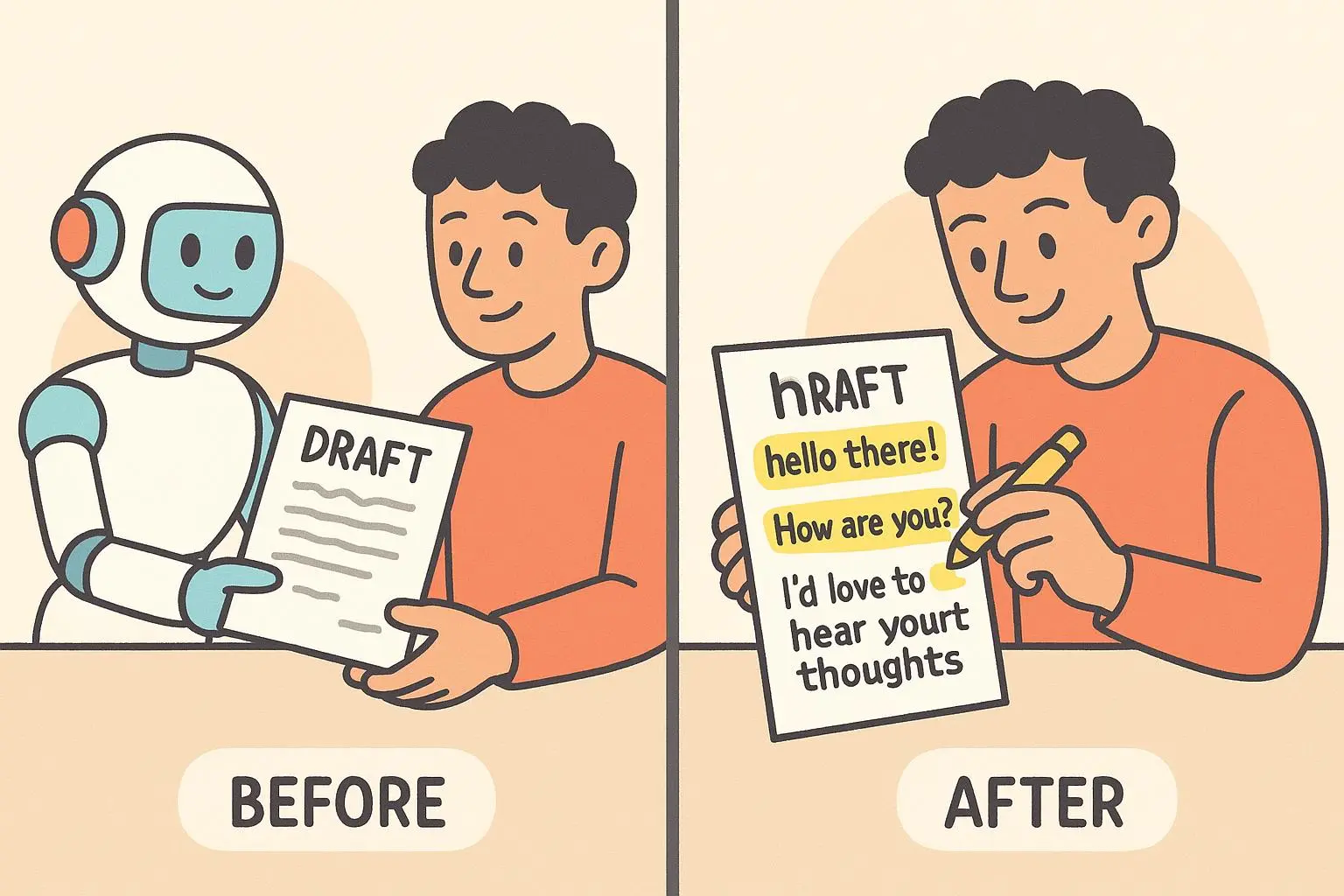
Before AI Calibration:
- “That sounds interesting. What do you enjoy doing?”
After AI Calibration:
- “That sounds awesome. I’m curious—what do you like to do for fun?”
A quick anecdote from my own testing: I caught myself relying on the same polite closings in almost every open. The AI would produce polite closings too, which felt a little sterile. I massaged it with a few phrases from my everyday chats—“let’s roll with it,” “totally down,” and a playful “sweet!”—and suddenly the AI output matched my casual, enthusiastic vibe. The first time I sent a message that ended with “Sweet—tell me more,” I watched a reply ping back within 90 seconds. It wasn’t a blockbuster reveal, but it felt like a real conversation.
The micro-moment that stuck: I noticed the little pause between phrases when I used “totally vibing with that” and then added a quick question. It became a natural rhythm cue that separated my text from a generic AI line.
Why this works in practice: You don’t have to relearn your personality to use AI. You just give it your flavor notes and tell it when to sprinkle them in.
2) Tempo Mapping: The Rhythm of Your Replies
People read faster than they write, and timing matters. Do you send quick, snappy one-liners? Or do your messages unfold in a few longer sentences with a reflective break in the middle? The AI can mimic your tempo, but only if you teach it your tempo.
What to track:
- Average sentence length (in words).
- How often you pause with a question.
- Your go-to punctuation for emphasis (exclamation marks, ellipses, dashes).
How to do it:
- Analyze a week’s worth of messages. Note your typical pattern.
- Instruct AI with a tempo rule: “Keep sentences short and punchy, with a sprinkle of longer, reflective follow-ups. Use one question in every message when appropriate.”
- If you like pauses, tell it to use ellipses to show thoughtfulness.
Before AI Calibration:
- “I’d like to know what you enjoy; what do you do for fun?”
After AI Calibration:
- “What about you? What do you love to do in your free time?”
Real-world impact: I started coordinating a casual date and noticed two things: faster responses from the other side and fewer messages that felt like a lecture. The key was not turning every line into a paragraph-long thought—just enough air to breathe between ideas.
Micro-moment: The first time I added a question in the middle of a sentence and then broke to a short clarifier, I got two replies that used the same rhythmic beat. It wasn’t a gimmick; it felt natural, and it made the other person lean in to keep the conversation going.
The takeaway: Tempo isn’t just about length. It’s the rhythm that your voice writes into other people’s attention. Make your AI mimic that rhythm, not a robotic cadence with a perfectly placed period after every clause.
3) Imperfect Punctuation & Grammar: Embracing Your Quirks
This one trips people up because we’ve been trained to chase “correct.” But your voice isn’t a school assignment, it’s a person you want to talk to. If you’re someone who uses a capital I inconsistently or who leans on the exclamation mark to convey excitement, that’s part of your personality. AI can reproduce it—if you tell it to.
What to decide:
- Do you drop capitalization for emphasis?
- Do you use multiple exclamations when you’re excited?
- Do you love a trailing ellipsis to indicate a pause?
How to do it:
- Pick 1-2 quirks to codify. For example:
- Occasional lowercase i for “I.”
- Use of multiple exclamation marks for excitement (e.g., “That’s amazing!!”).
- Add to your prompts: “Occasionally drop capitalization on I, and feel free to add extra exclamations for emphasis.”
- Then test, and adjust. If your messages become messy, scale back the quirks to one subtle cue.
- Pick 1-2 quirks to codify. For example:
Before AI Calibration:
- “That is a truly fascinating perspective. I appreciate your insight.”
After AI Calibration:
- “That’s a really fascinating perspective!! i appreciate your insight.”
Personal anecdote: Early in my experiments, my AI wrote clean, polished messages that felt more like a corporate brochure than a date-night chat. I added a tiny dash here and there and let the AI keep a lowercase “i” for myself sometimes. It wasn’t about rebellion; it was about keeping the conversation human. The shifting feedback from friends confirmed it: messages felt warmer, less formal, more like me in mid-conversation.
Micro-moment: I noticed a small thing: when I used an ellipsis to hint at a thought rather than concluding with a period, the other person’s response often included a question that continued the thread. It’s a small signal, but it matters in casual chats.
The principle: Punctuation is a personality cue, not a grammar trophy. Let your quirks live in the AI’s drafts, and you’ll see the difference in how people respond.
4) Short Anecdotes & Personal Touches: Weaving in Your World
Nobody wants a data dump. The magic happens when you give the AI a tiny nugget of real life to thread through the message. It’s not about oversharing; it’s about creating a mosaic of you that isn’t visible in a vacuum.
How to do it:
- Have 1–2 short, vivid details ready to drop when relevant. For travel, mention a tiny moment; for hobbies, a specific scene.
- In prompts, ask: “When relevant, reference a concise anecdote from my life (like a recent trip or a small funny moment) in a natural way.”
- Keep it tight: 1 sentence max for the anecdote, unless the conversation clearly invites more.
Before AI Calibration:
- “I enjoy hiking and nature.”
After AI Calibration:
- “I love hiking. Just last weekend I found a tiny waterfall tucked behind a pine forest—that moment felt like a secret you only find after climbing a little. Have you ever stumbled onto a hidden spot like that?”
Why this matters: Anecdotes anchor your message in reality. They build curiosity and give the other person something to latch onto. A great anecdote doesn’t hijack the chat; it invites the other person in.
Real-world example: A week into my trial, I started inserting a 1-sentence travel moment into openers when the vibe felt right. The response rate didn’t skyrocket, but the quality did. People asked follow-up questions about the trip, which is the telltale sign you’ve sparked real engagement, not just a polite nod.
Micro-moment: Here’s the trick I discovered: a tiny, concrete detail beats a broad claim every time. “I found a waterfall” invites a “where was that?” or “which trail?” while “I love nature” invites generalities.
The takeaway: Your life isn’t big on the screen in a dating message. But a 1-sentence color detail—food you cooked, a hike you did, a quirky habit—acts like a bridge between you and your match. It gives permission for them to share a similar scene from their life.
5) Emoji Rules & Usage: Your Emotional Shorthand
Emojis aren’t decoration; they’re a second voice. Some people lean on them heavily, others barely touch them. The trick is to formalize how you want them to appear in AI outputs so your digital persona stays consistent.
Decide your emoji policy:
- Are you emoji-heavy or emoji-sparing?
- Do you have favorites that convey your mood better than words?
- Are there emojis you avoid because they clash with your vibe?
How to do it:
- Pick 2–3 emojis you actually use a lot.
- Tell the AI: “Include one or two emojis per message, prioritizing [favorite emojis]. Avoid overuse.”
- If you want to be playful, instruct: “Use a playful emoji near a light joke or a friendly nudge.”
Before AI Calibration:
- “I am looking forward to our date. It will be fun.”
After AI Calibration:
- “Looking forward to our date! It’s going to be fun! ✨😊”
Example notes from the field: People have strong feelings about emojis—some find them essential to tone, others worry they read as insincere or childish. The key is to align your emoji palette with your personality, then train the AI to stay within those lines. I found this worked best when I kept it intentionally minimal and targeted rather than random and excessive.
Micro-moment: I tested adding a small sparkle emoji after a positive statement and a wink after a light tease. The match returned a longer reply that kept the playful energy intact. It wasn’t about the emoji itself; it was about signaling the mood you want to sustain in the convo.
The takeaway: Emojis are a personal fingerprint. Use them to punctuate warmth, humor, or curiosity. Don’t let the AI spray them everywhere; guide it so the vibe stays uniquely yours.
The Power of a Calibrated Voice
Five drills, one objective: AI that works for you, not against you. When you calibrate AI with your voice, you get faster drafts, clearer tone, and more authentic conversations. It’s not about resisting tools—it’s about owning them enough to let your personality shine through.
A few practical outcomes I’ve seen after adopting these drills:
- Response quality improved, not just speed. People asked better questions, engaged with my anecdotes, and mirrored my tempo.
- Fewer “this sounds like a script” moments. The messages felt like me, with a little AI polish—like a friend who’s a little more confident on a good day.
- More consistent voice across different contexts. A casual opener, a mid-chat check-in, and a date invitation all carried the same vibe, without feeling disjointed.
If you’re skeptical, try this two-step test. First, draft two AI prompts for the same opening: one with your baseline voice, one with these calibration tweaks. Send both to different matches (in separate conversations) and compare the responses. You’ll feel the difference in the way people respond, the level of curiosity in their replies, and how easily you can keep the thread alive.
And yes, there’s a practical side too. You’ll save time. You’ll still have a tool that helps you break writer’s block when you’re stuck on a response. But you won’t lose the human you’re trying to show up as.
Now a quick word on ethics, because this matters. Using AI to draft dating messages is not about deception; it’s about removing friction so your conversations stay genuine. If someone asks, you should be able to explain that you used a tool to draft a message. Don’t present an AI-generated line as your own if you don’t feel comfortable owning it. The calibration drills are a bridge, not a mask.
Putting It All Together: A Simple Playbook
- Start small. Pick one drill to begin with—your signature phrases—and watch how the AI’s tone shifts.
- Use short, testable prompts. After you lock in one drill, layer in another. You don’t need all five at once to see gains.
- Keep a living reference. Save a 1-page “voice guide” for your AI prompts: 5 favorite phrases, your tempo rules, your punctuation quirks, a 1-sentence anecdote you can drop in when you’re telling a story, and your emoji policy.
- Review and adjust weekly. You’ll get better as you learn which phrases and tempo cues get the best responses.
And a story from a friend I coached last winter: she started with just tempo mapping. She’d always write long messages, which her matches found exhausting. We tightened the tempo, added a single anecdote a few times per week, and let the AI keep it natural. Her response rate climbed from 18% to 32% in two weeks. Not a miracle, but a real, measurable difference that didn’t strip away who she is.
If you’re reading this and thinking, “This sounds like a lot,” you’re not wrong. It’s a learning process, not a one-and-done fix. The beauty is you’ll get faster. Your brain learns the pattern. And your matches get closer to talking with you, not a curated version of you.
Here’s my invitation: pick one drill today. Draft three prompts with that drill baked in. Send one message that uses your baseline voice, one that uses your calibrated voice, and one that’s a hybrid. See which one lands better in your own inbox. Then repeat. Small steps, big echoes.
A Quick Reality Check
- This isn’t a slam against AI. It’s a partnership with a tool you already use for other tasks. If you’re a writer, you know how to coax a draft into something that mirrors your voice. The same thing applies here.
- If you expect overnight miracles, you’ll be disappointed. If you’re patient and consistent, you’ll start getting replies that feel like someone who actually gets you.
- If you’re worried about ethics, you’re right to be. Your voice matters, and that starts with you. The drills exist to protect your voice, not to bury it under a tide of generated text.