AI Dog Doctor: Quick Start Guide to Setting Up Your Pet Health Assistant
Feb 24, 2026 • 9 min
If you just downloaded the AI Dog Doctor and felt a little paralyzed by the setup screen, you’re not alone. I’ve been there. The promise is huge—one digital helper that nudges you toward better daily care for your dog without turning your life into a spreadsheet. The reality is a little more hands-on at first. And that’s a good thing. A tiny upfront investment pays off with months of clearer data, fewer missed vaccines, and a dog who actually seems happier and steadier on the walks.
Here’s how I approached it, in plain language and with the little detours and aha moments that actually mattered.
How I actually made this work
What you’re aiming for is a digital twin of your dog. The more accurate you are at the start, the smarter the AI becomes, the fewer alarm bells you’ll hear that don’t mean much, and the more you’ll actually rely on it instead of your own memory.
I started with a simple decision: treat the AI as a partner, not a replacement for your vet. The first 15 minutes I spent entering data felt like a lot, but within three days, the insights began to pay off in real life, not just on a screen.
Here’s the setup path I used, with honest notes on what mattered most and what you can skip if you’re pressed for time.
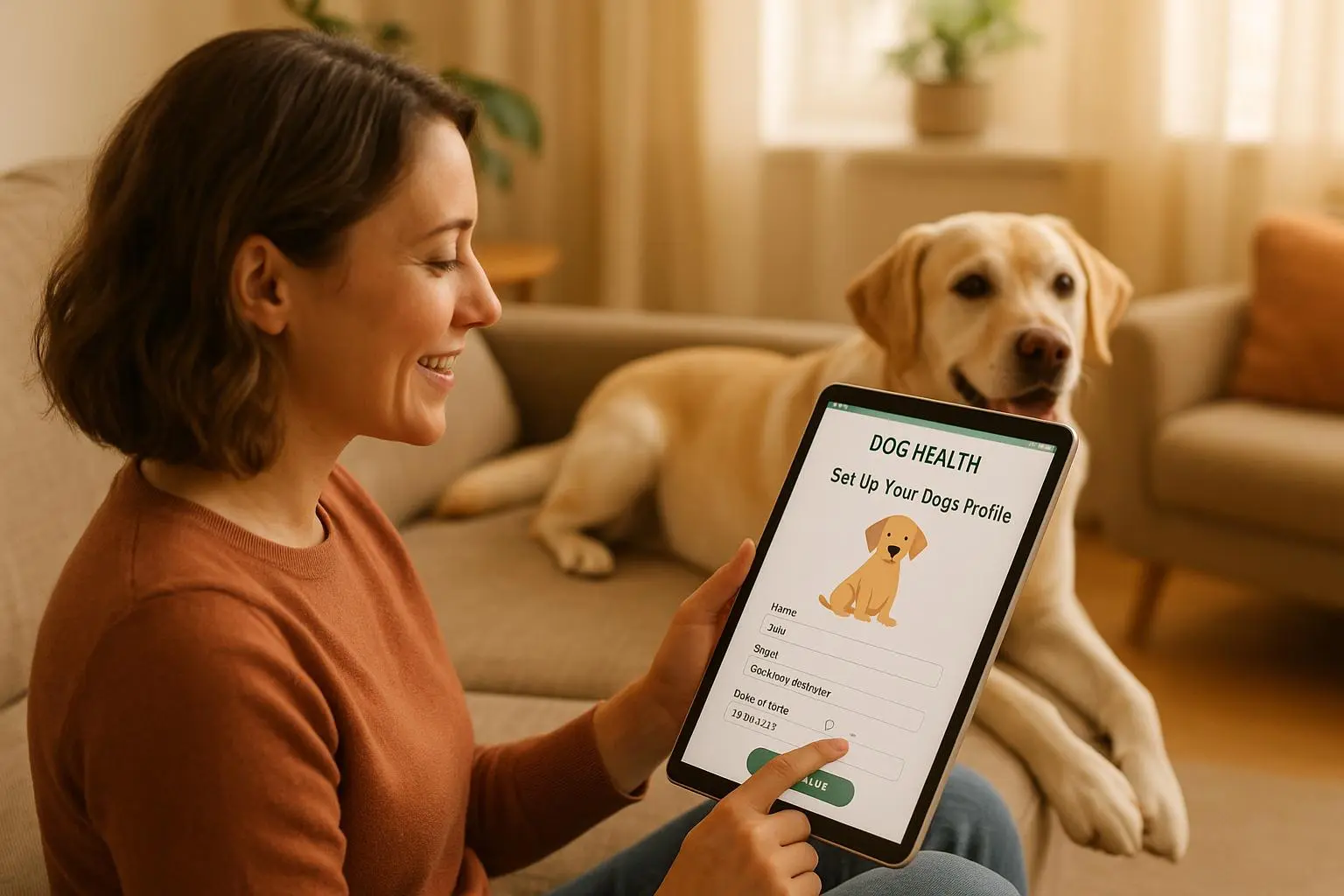
Step 1: Create your dog’s digital profile (the foundation)
The accuracy of the AI hinges on the data you feed it first. Think of it as building a digital twin that the app will literally talk to.
Action items I used:
- Core metrics: Name, Breed, Date of Birth or Age, Weight, and Microchip ID.
- Risk factors: pre-existing conditions (hip dysplasia, sensitive stomach, allergies), current medications, and recent surgeries if any.
Why this matters: the AI uses these inputs to tailor risk assessments and to avoid flagging every sniffle as a crisis. A lot of the value sits here—correctly labeling a mild allergy vs. a red-flag symptom.
Real-world moment I learned this the hard way: My terrier mix, Max, has a history of mild bronchial irritations that flare with strong scents and dusty environments. I initially rushed the setup, left out a note about his seasonal dust allergies, and the alerts kept pinging on perfectly normal coughs. It wasn’t dangerous, but it was noisy. When I went back and added the allergy detail, Max’s daily wellness score settled down. The AI stopped shouting about “possible bronchitis” every time I opened the door to the cleaning supply closet.
30-60 second aside: I remember the scratch of a label off a medicine bottle you have to type in manually. It felt petty in the moment, but that tiny act of accuracy paid dividends later when the AI could tell me, with high confidence, which days his coughing fit aligned with pollen spikes. Small details aren’t glamorous, but they’re the quiet fuel of better AI guidance.
Step 2: Vaccination and preventative care tracking
Think of vaccines as the spine of your dog’s health plan. The app is designed to prevent missed boosters and overdue screenings, which is where digital reminders become incredibly valuable.
Action items:
- Upload vaccination records (Rabies, DHLPP, Bordetella). PDFs or photos work fine.
- Set reminders with your preferred lead time (14 days, 7 days, or 3 days before due).
- For flea, tick, and heartworm prevention, enter the start date and current product. The AI cross-references regional risk and your dog’s profile to prompt any tweaks.
From the field: the feature is widely loved by pet parents who used to juggle calendars and sticky notes. A tech-savvy veterinary assistant, Sarah, noted that automated reminders for heartworm prevention cut down late renewals dramatically. The difference is small on a single month, but it compounds over a year, and suddenly you’re not rushing to a pharmacy with a tired pup in tow.
A moment that stands out: I uploaded Max’s vaccine records and set a reminder for the 15th of every month for his rabies booster due dates. The app notifies me well ahead, and I still double-check with the vet. It’s not about replacing the vet visit; it’s about respecting the schedule so nothing falls through the cracks.
Step 3: Tailoring wellness monitoring templates
General tracking is fine for a start, but canine health is not one-size-fits-all. The AI shines when you build life-stage templates that mirror what matters most at each life phase.
For puppies (under 1 year): growth charts, teething milestones, and socialization windows. For seniors (over 7): mobility checks, appetite changes, cognitive function scoring.
What I did:
- Choose the life-stage template that matches your dog now.
- Customize metrics. For a senior Labrador, I added a “Stiffness Score” (1-5) and a note field for morning activity. For a 6-month-old puppy, I tracked teething pain and bowel movement consistency.
Stories from other users emphasize how critical this step is. A Reddit user with an aging Golden Retriever shared that adding a mobility tracker helped them spot a subtle, recurring stiffness dip over three weeks and prompted an earlier chat with the vet about joint supplements. The difference wasn’t dramatic at first glance, but it changed the course of care.
30-second aside: a tiny UI tweak I appreciated—the ability to color-code templates by life stage. It’s the small things that made it easier to glance at the dashboard during a chaotic morning and know you’re seeing the right data.
Step 4: Integrating activity and nutrition data
If you have a wearable for your dog, your life gets a lot easier here. If not, you can log food and activity manually, with the app guiding you toward sensible defaults.
Action items:
- Calorie goal setting: input target weight and activity level; the AI suggests a daily caloric intake using veterinary formulas.
- Food logging: select brand and serving size. The AI flags over- and under-consumption relative to your dog’s profile.
Reality check: data entry can feel like a second job. A few users push back on manual logging, especially when their dog’s diet changes by the week or when the kibble barcode scanner misreads. I get that friction. The payoff comes when the AI starts correlating intake with energy, stool quality, and weight trends. The alerts become less about “something is wrong” and more about “here’s what we should tweak.”
One user’s frustration is worth repeating: “Logging every kibble almost feels like a second job. I wish the barcode scanner worked more reliably across brands.” It’s fair feedback. The better apps are listening, iterating, and offering simpler manual options that don’t undermine accuracy.
Step 5: Understanding AI insights and alerts
This is where the tool moves from an electronic diary to a proactive partner. It’s important to remember: the AI is a support system, not a substitute for professional veterinary care.
Types of alerts you’ll see:
- Proactive reminders: upcoming appointments, medication renewals, and preventive care tasks.
- Anomaly alerts: unusual data points that break your baseline, like consistently high water intake or a surprising weight drop.
The value surfaces here in two ways. First, the AI helps you catch subtle trends you might miss in the busyness of daily life. Second, it prompts a vet visit at the right moment, which can be the difference between a preventable issue and a treatable condition.
Some folks voice real balance in their feedback. The most grounded take I saw was: “The AI is excellent at spotting trends I miss, like a weekend dip in activity. I still treat its suggestions as a prompt to call the vet, not a diagnosis. It’s an early-warning system, not a crystal ball.”
Step 6: Aligning with veterinary science and privacy
No tool is perfect, and the medical grounding matters. Treat the AI as a bridge to better conversations with your vet, not a replacement for professional advice. The FDA has guidance on AI in animal health that’s worth glancing at, if you’re curious about how this space is regulated and evolving.
On the privacy side, you’re storing sensitive health data about your dog. Look for clear data-handling policies, easy data export options, and the ability to delete data if you ever want to switch tools. The best platforms treat your dog’s data the way you’d want your own medical data treated: with care, clarity, and user control.
A practical starter checklist you can actually use
- Create your dog’s digital profile with at least:
- Name, breed, date of birth, weight, microchip ID
- Known conditions and current meds
- Upload vaccination records (Rabies, DHLPP, Bordetella) and set due-date reminders
- Pick a life-stage template and tailor at least three metrics to your dog’s current needs
- Connect or start logging daily activity and nutrition (even if manually for now)
- Review your first week’s insights with a calm, vet-informed lens
- Schedule a quick re-check after 4–6 weeks of data collection to reset goals and adjust thresholds
If you stick to this cadence, you’ll start to see a real shift in how you respond to your dog’s signals. The goal isn’t to automate care away from your vet; it’s to automate the boring, repetitive bits so you can focus on the meaningful stuff—the moments that tell you your dog is thriving.
Real-world feedback from the field
People are using and testing these tools in real homes, with real dogs and real time pressures. Here are a few themes I’ve seen repeatedly, drawn from forums, reviews, and industry chatter:
- Setup quality matters. The better you describe your dog’s health history, the fewer false alarms you’ll get. Mixed feedback from early adopters often traces back to incomplete initial data.
- Automated reminders matter, especially for chronic preventive care. In practice, owners feel more responsible and less overwhelmed when the schedule feels reliably managed by an app.
- The best experiences come from templates that fit life stages. Puppies, adults, and seniors need different kinds of data. When you tailor the templates, the insights become truly actionable.
- Integrations are a work in progress. Wearables and nutrition data are powerful, but you’ll still see friction with some brands not syncing perfectly. The trend is toward better APIs and cross-platform data sharing, though, which will unlock a smoother experience over time.
A quick micro-moment I remember from a chat with a beta user: they had their dog’s weight trending downward for a week, then the AI flagged a small but steady appetite drop. They chatted with their vet, adjusted meals slightly, and the dog bounced back within two weeks. It wasn’t dramatic, but it was enough to prevent a bigger issue from sneaking up.
How to think about this as a long-term tool
You’re not buying a gadget—you’re investing in a system that grows with your dog. The AI learns from your data, the vet gains another data stream to inform decisions, and you gain confidence that you’re staying on top of things that tend to slip through the cracks.
A few practical ideas for maximizing value over time:
- Revisit the data you entered after the first month. Tidy up notes, add any new conditions, and adjust alerts to reflect what’s truly important now.
- Use the senior-dog template as a standing check-in. Even if your dog is only 6, you’ll get protective signals early if mobility or cognitive cues start shifting.
- If you have access to a wearable, plan a weekly review of activity, sleep, and energy. Align the insights with vaccination or preventive care cycles so you’re not chasing multiple disparate data streams.
And a little human truth: I’ve learned the hard way that these tools reward patience. You don’t click your way to a perfect health plan overnight. It takes a few weeks to learn which data points actually predict the things you care about—pain, energy, appetite, and mood.
What I’d tweak if I were building the guide for you
- More guided onboarding: a 10-minute “guided tour” that shows you exactly where to fill the fields that matter most for your dog’s breed and age.
- Simpler manual-entry options: a quick-kick button that lets you add a new event (like a vomiting episode or a new medication) without hunting through many menus.
- Better AI transparency: a short, human-friendly explanation of what a given alert means and what actions to take next.
If you’ve got a senior dog or a puppy at home, I strongly recommend starting with a lighter setup and incrementally adding data. You’ll avoid the paralyzing feeling of “I must do everything now,” and you’ll build momentum that sticks.
The bottom line
Setting up your AI Dog Doctor properly is the difference between a glorified digital diary and a genuinely proactive health partner. It’s not magic, and it’s not a substitution for real veterinary care. But when you invest a little time to nail the basics—accurate dog profile data, vaccine reminders, life-stage templates, and sensible data entry—the tool becomes a steady teammate.
Your dog’s long-term health journey just got a significant technological upgrade.
If you’re starting today, I’d love to hear what’s worked for you and what’s felt like a pain point. Share a quick note about one data point you added in the first week or a realization you had after your first alert. It helps everyone learn faster.